
Story structure & worldbuilding for fiction writers
See your whole
story in motion.
Track characters, themes, subplots, and lore across your chapters and scenes. Follow one thread—or see how the pieces develop together.
Explore Novellore No account needed to take a look.Follow each thread as your story weaves together.
Trace a mystery from its first seed to its payoff. Follow a character across chapters. See where your story’s elements appear together.
- Follow a thread
- Compare appearances
- Explore Character Lens
02 / Journey Map
Follow your characters through the world they inhabit.
Connect the places in your story to the journeys between them. Give the route room to tell its part of the story.
Follow the journey
See a character’s route across the map.
Connect your maps
Link maps to move between views of your world.
Put distance in context
Calibrate the map to measure distance.
03 / Lore Audit
See what connects.
Catch what doesn’t.
Check the structure you’ve recorded against explicit rules. Review the findings, then decide what needs attention—and what is exactly as you intended.
Does the payoff come before the seed?
When both are recorded, an ordering check can flag a payoff placed before its seed.
You make the creative decisions.
04 / Inside the workspace
The pieces behind every view.
The Timeline Matrix, Journey Map, and Lore Audit draw on the story information you record. Explore the workspace where those pieces take shape.
Plan the book
Build from project to scene.
Start with a standalone novel or a connected series, then shape each book through acts, chapters, and scenes. The Camelot demo shows one path; your story can take any shape.
Inside Novellore
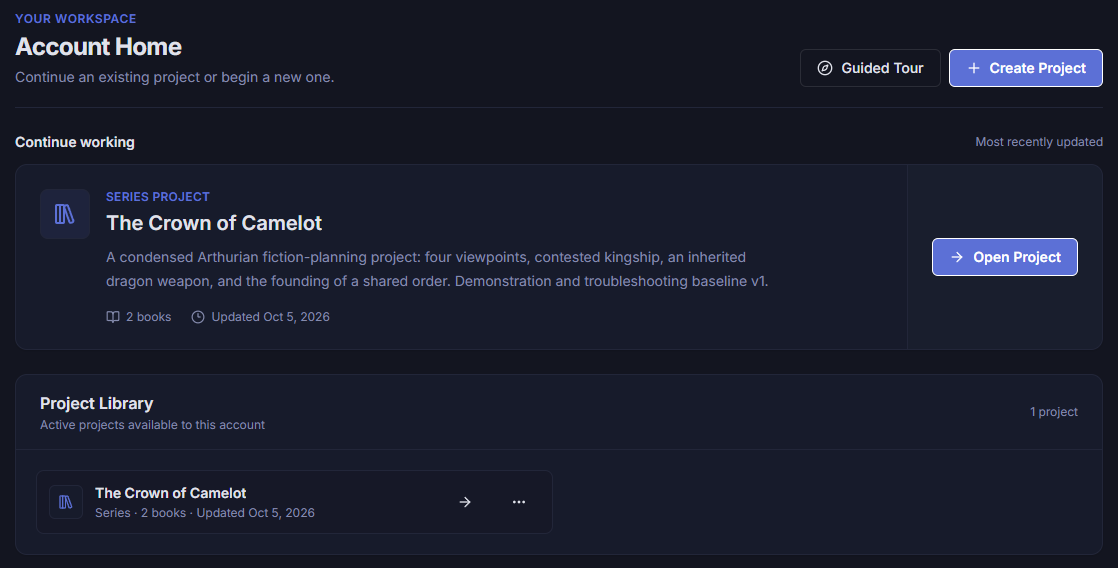
Account Home
Keep writing projects in one account-level library. Return to recent work or begin a standalone novel or connected series without mixing unrelated story worlds.
In this example, a two-book Camelot series is ready to reopen.
Open original full size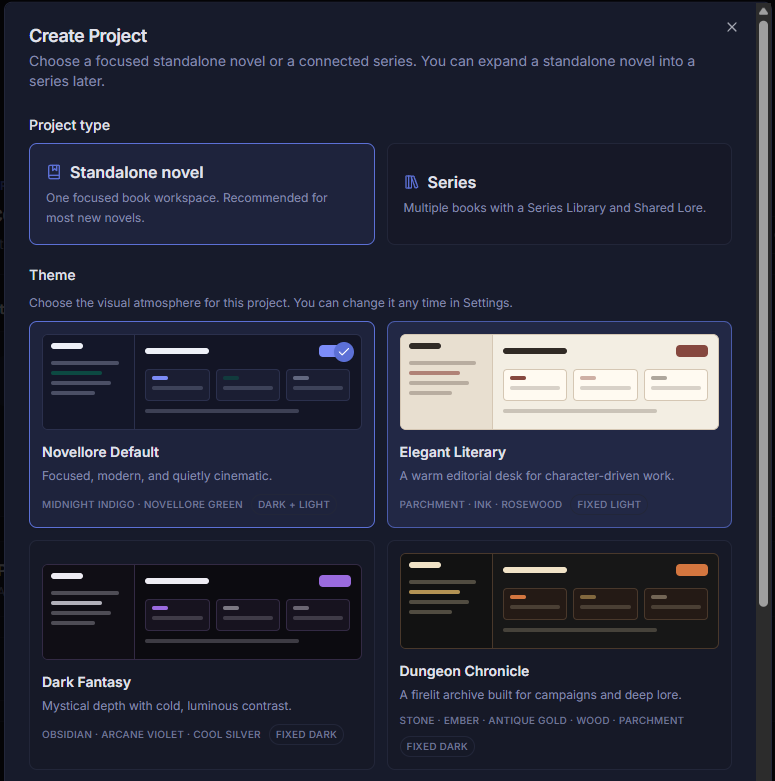
Inside Novellore
Create Project
Set up any story as a standalone novel or a series, then choose the visual atmosphere you want to work in. The theme can change later without changing your story content.
In this example, the project setup offers Novellore Default and three other themes.
Open original full size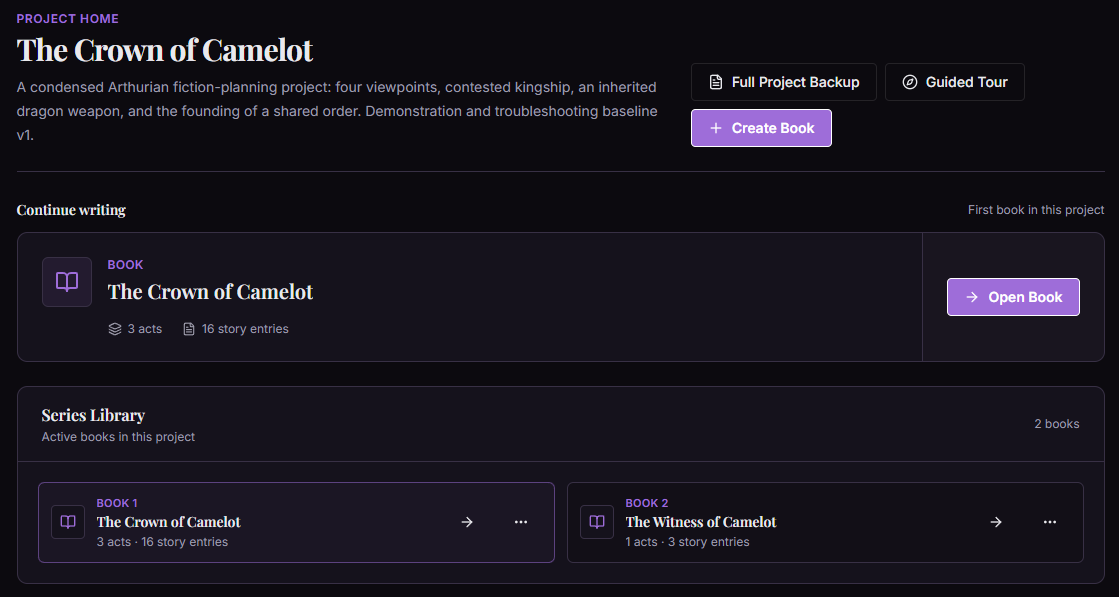
Inside Novellore
Project Home
Manage a connected series from one home. Add or reopen books, reach Shared Lore, and export the whole project while each book keeps its own chapters and writing tools.
In this example, the Camelot project contains The Crown of Camelot and The Witness of Camelot.
Open original full size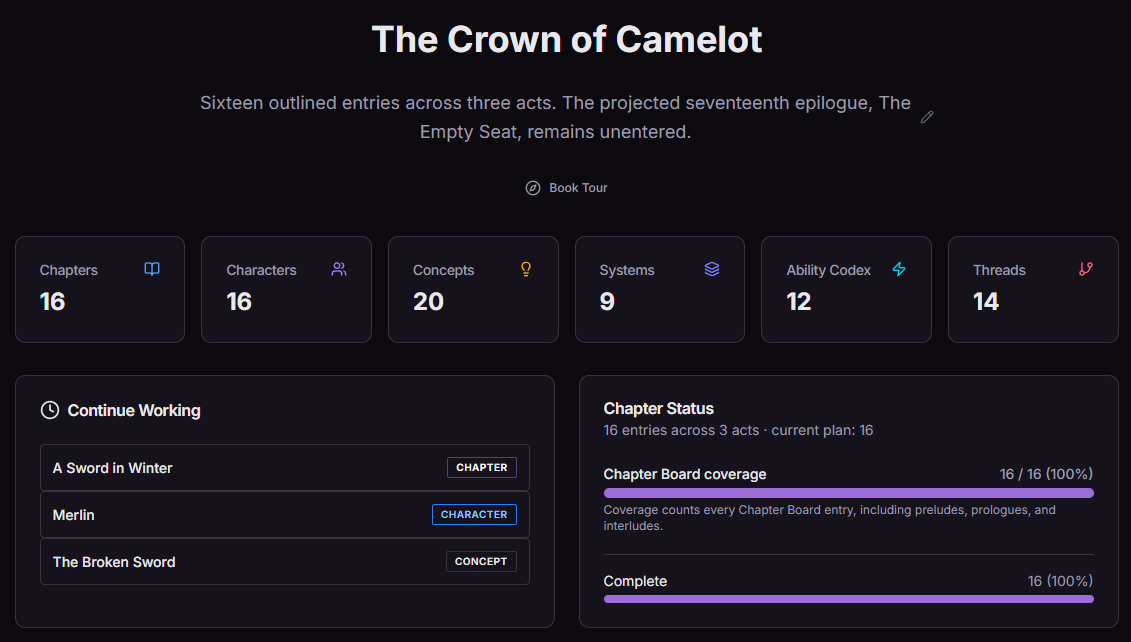
Inside Novellore
Book Dashboard
See the selected book at a glance: recent work, chapter status, and counts for the story records you have entered. Return to your plan without retracing your steps.
In this example, The Crown of Camelot dashboard summarizes its entered chapters, cast, concepts, systems, abilities, and threads.
Open original full size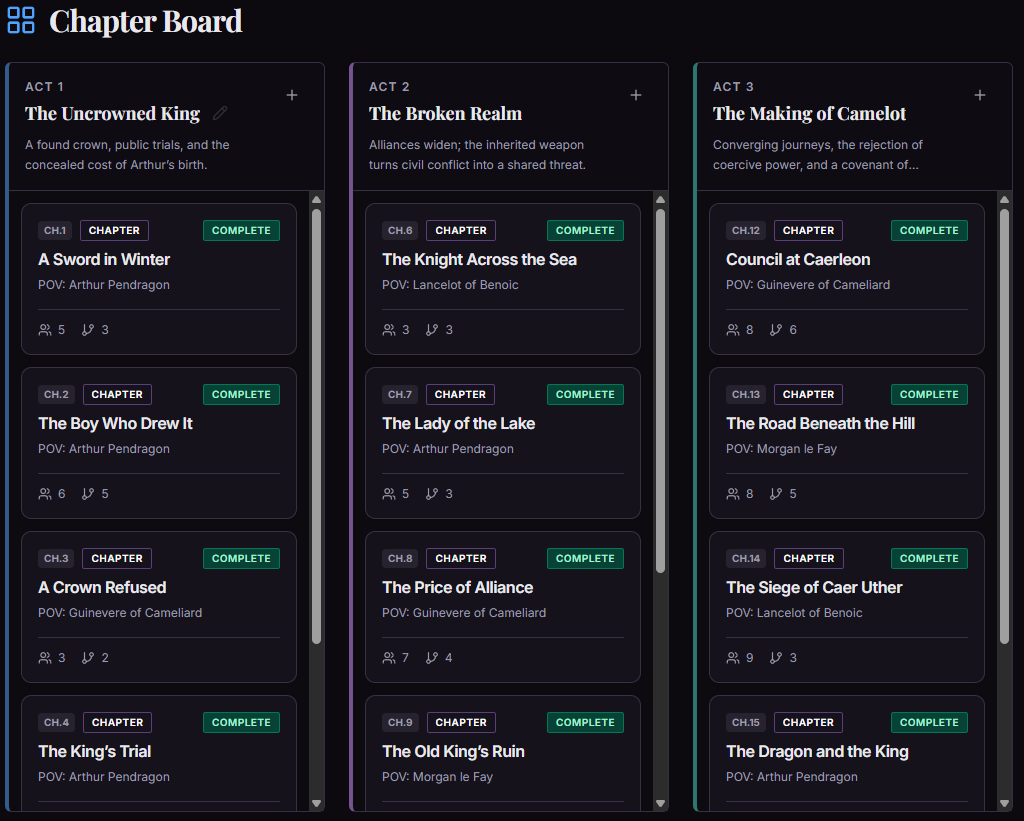
Inside Novellore
Chapter Board
Arrange acts and story entries in reading order so the book's structure stays visible as it develops. Chapter cards show their number, title, viewpoint, status, and quick link counts.
In this example, the Camelot plan spans three acts with multiple points of view.
Open original full size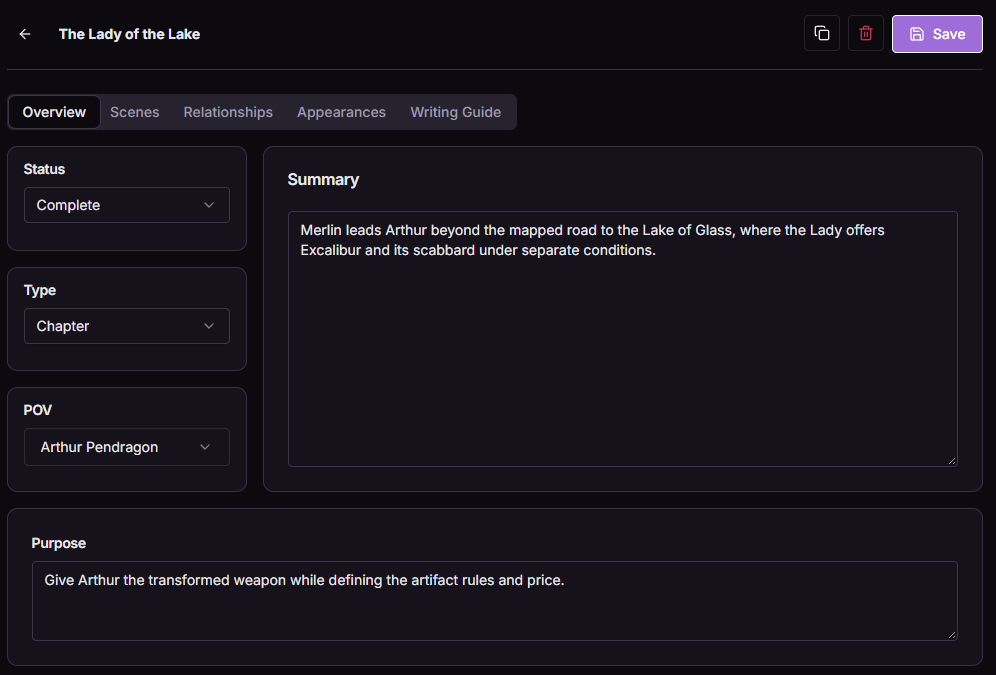
Inside Novellore
Chapter Detail
Explore these views
Overview
Give any chapter a clear job in the story by recording its type, status, viewpoint, summary, and purpose. That context stays with the chapter as you build the scenes and links around it.
In this example, The Lady of the Lake sets up Arthur's encounter with Excalibur and the price attached to it.
Open original full sizeScenes
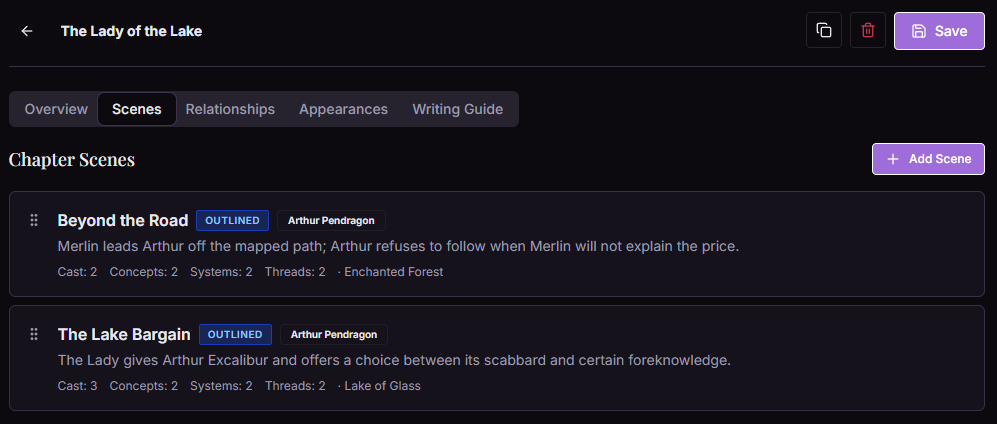
Break a chapter into scenes and keep each beat connected to its viewpoint, summary, cast, location, and related lore. You can see the shape of a chapter without opening every scene.
In this example, Beyond the Road and The Lake Bargain carry the chapter toward Arthur's choice.
Open original full sizeShared lore
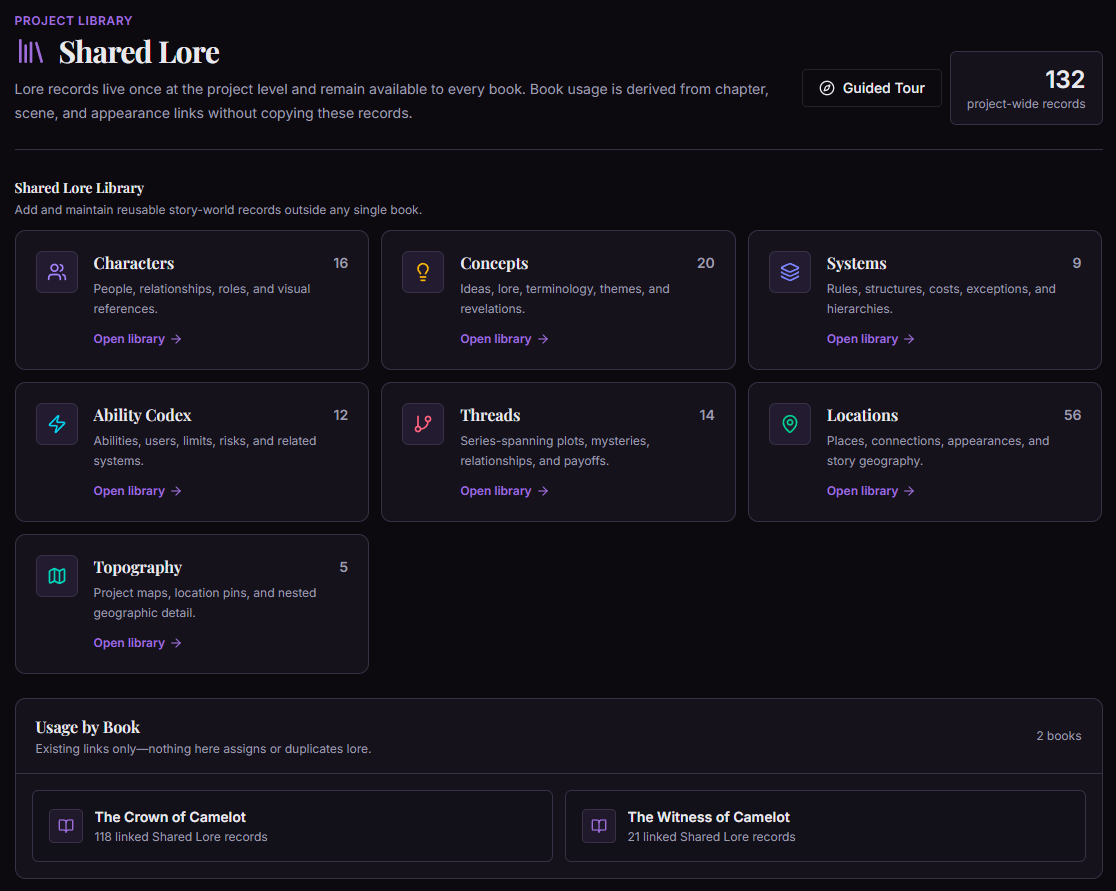
Keep the recurring pieces connected.
People, ideas, rules, abilities, threads, and places can live once at project level. Their links show how they matter across the books and scenes you plan.
Inside Novellore
Shared Lore
Inside Novellore
Characters
Explore these views
Profile
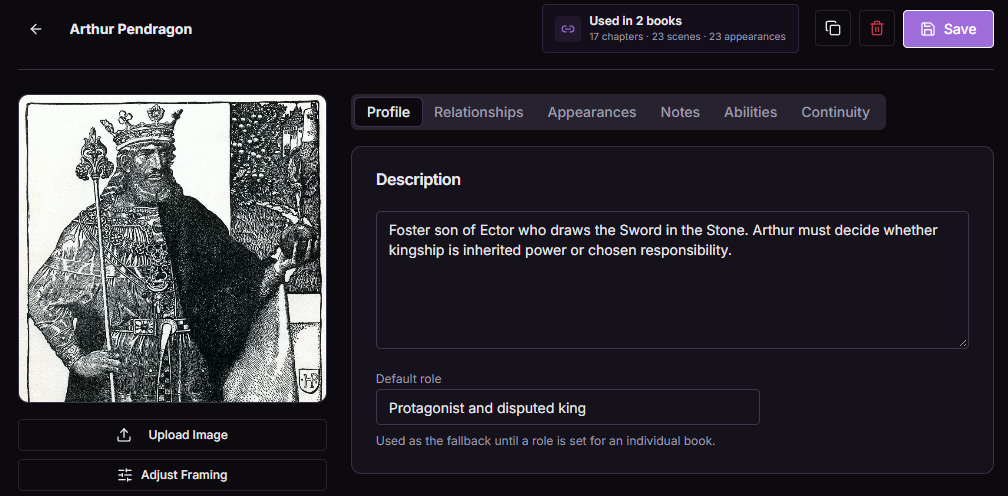
Build people with descriptions, roles, visual references, and links to the story. One character record can remain useful as their role develops across chapters or books.
In this example, Arthur Pendragon's profile shows his portrait, disputed kingship, and use in two books.
Open original full sizeAppearances
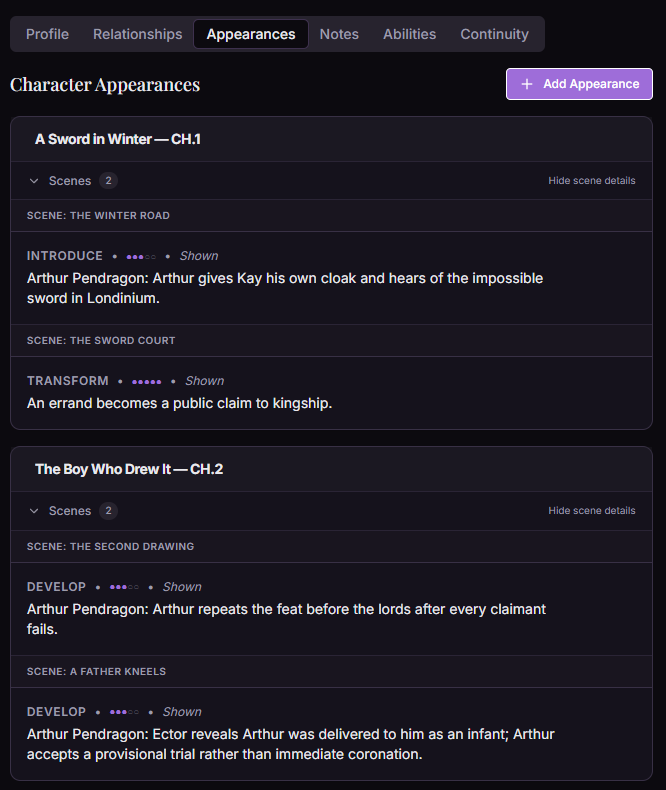
Follow where a character appears by chapter and scene, including the kind of appearance and how the character develops at that moment.
In this example, Arthur is introduced on the winter road and later transforms when his claim to kingship becomes public.
Open original full sizeCard display
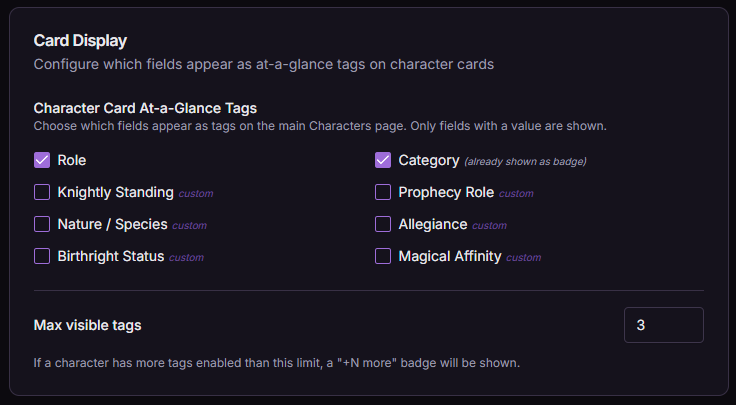
Choose which populated character fields appear as quick tags on your character cards, and decide how many tags stay visible at a glance.
In this example, Role and Category are selected, with up to three tags shown on each card.
Open original full size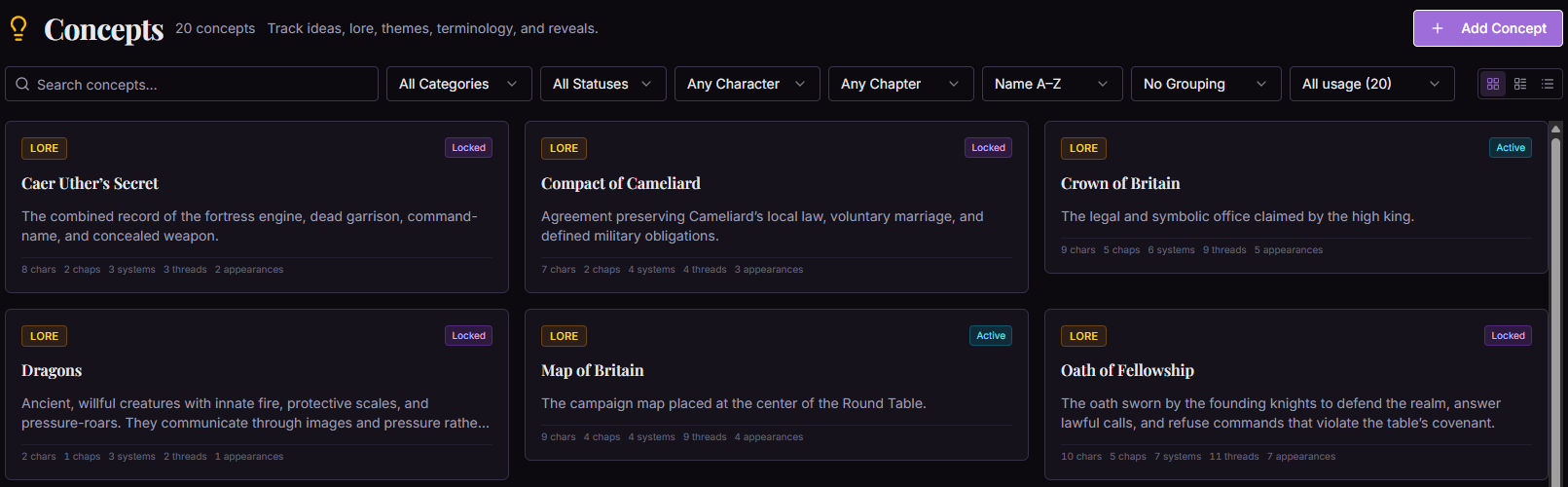
Inside Novellore
Concepts
Explore these views
Library
Catalog ideas, lore, terminology, themes, and revelations in one searchable library. Categories, status, and usage help you find the concepts that matter to a chapter or character.
In this example, Camelot's records include the Crown of Britain, Dragons, and the Oath of Fellowship.
Open original full sizeLinked Entities
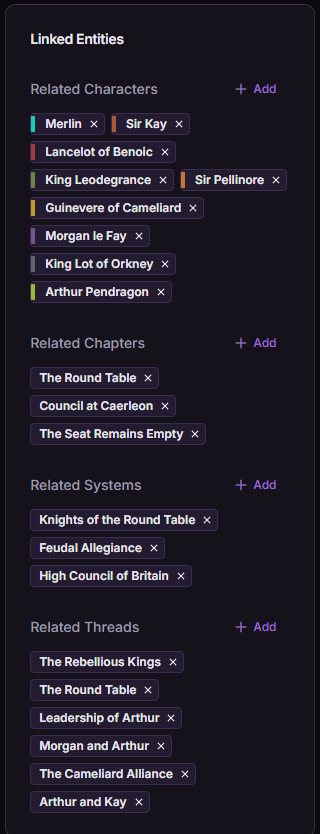
Connect a concept to the people, chapters, systems, and threads it influences so its place in the story is visible in one record.
In this example, the selected concept is linked to Arthur and Merlin, Round Table chapters, several systems, and related threads.
Open original full size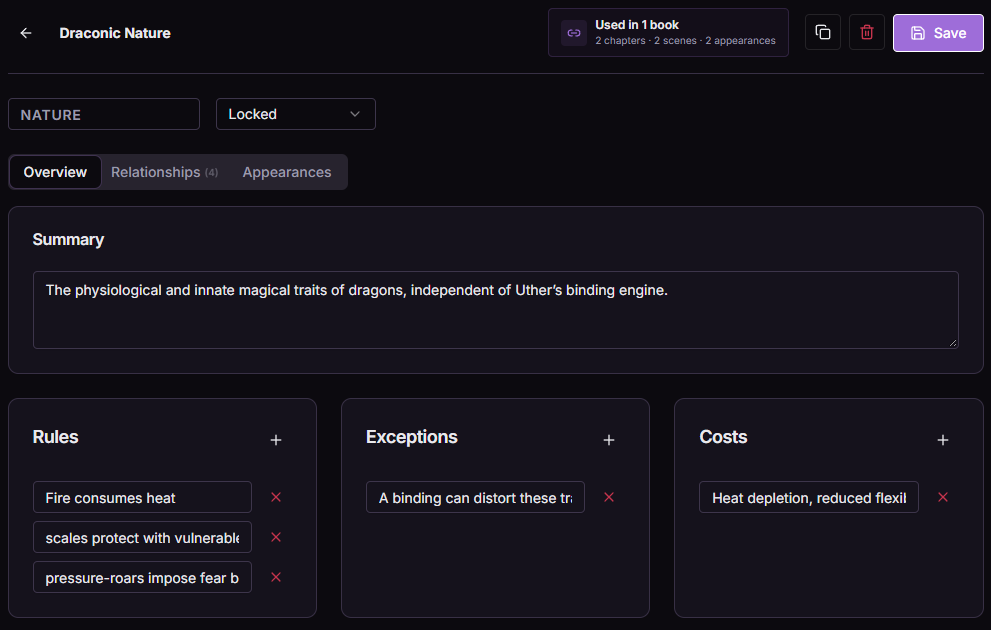
Inside Novellore
Systems
Explore these views
Overview
Define the rules and structures behind any part of your world, including exceptions, costs, and related systems. Those constraints give individual abilities a consistent foundation.
In this example, Draconic Nature records traits, rules, an exception, and physical costs.
Open original full sizeLinked Abilities
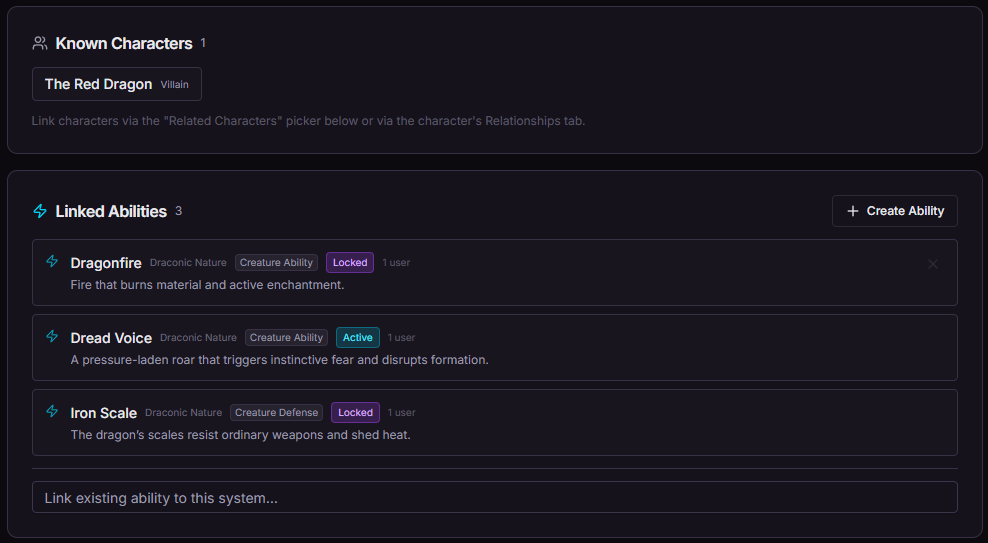
Keep a system connected to the characters and abilities that use it, so the governing rules and the specific effects stay together.
In this example, Draconic Nature connects the Red Dragon to Dragonfire, Dread Voice, and Iron Scale.
Open original full size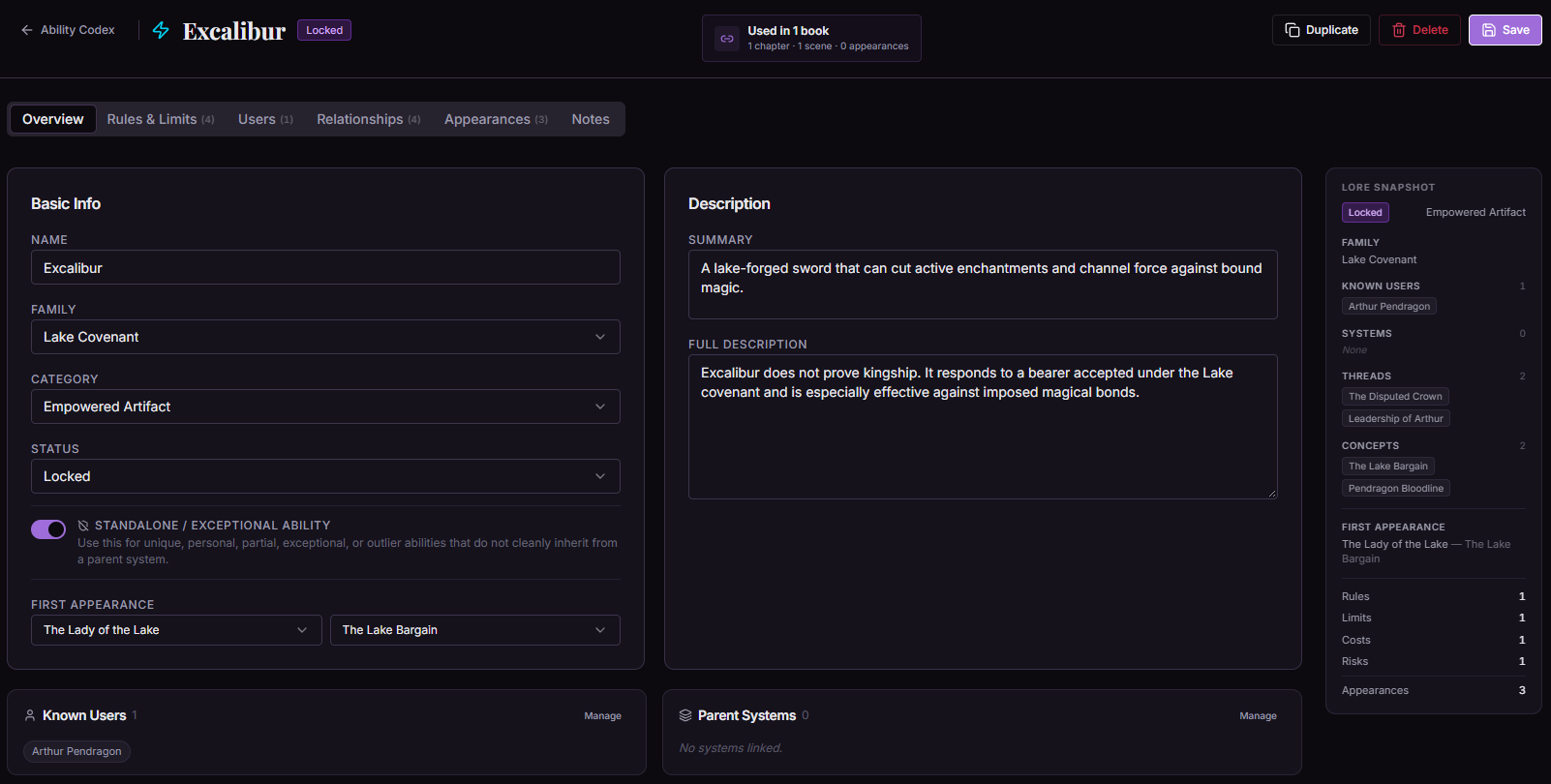
Inside Novellore
Ability Codex
Explore these views
Overview
Describe an ability's category, family, users, first appearance, and story connections. Exceptional abilities can stand alone when they do not inherit from a parent system.
In this example, Excalibur is an empowered artifact used by Arthur and tied to the Lake Covenant.
Open original full sizeRules & Limits
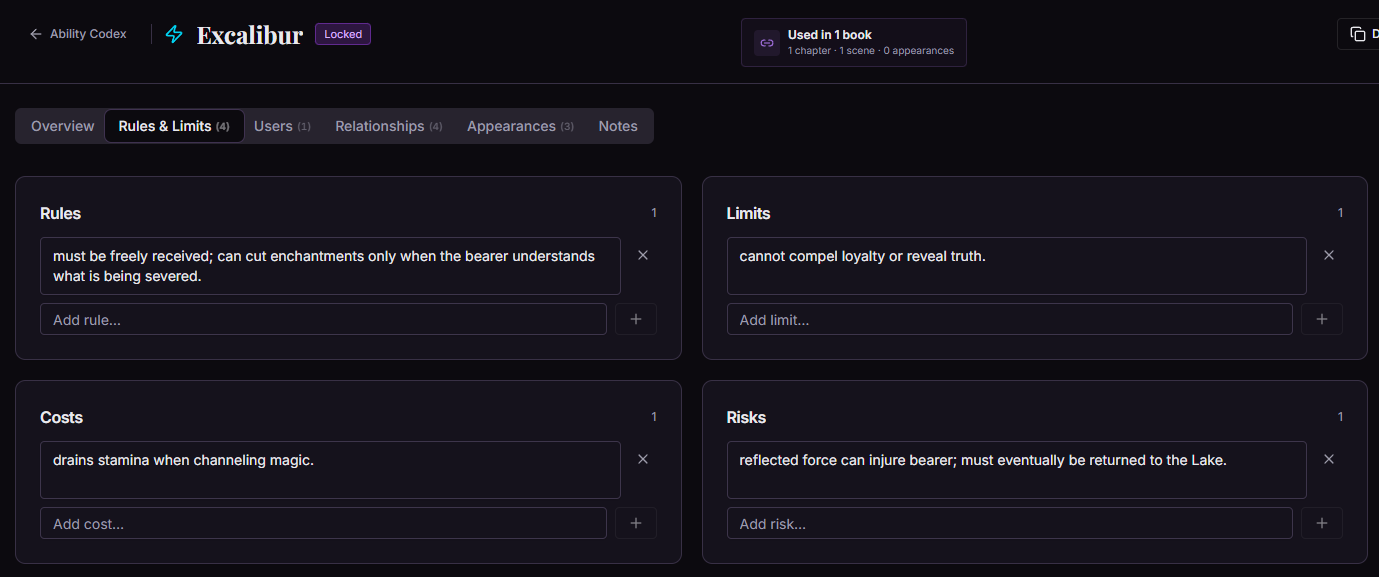
Record the rules, limits, costs, and risks that make a power consistent and meaningful when it enters the story.
In this example, Excalibur has conditions for its use, a limit on what it can reveal, a stamina cost, and a risk to its bearer.
Open original full size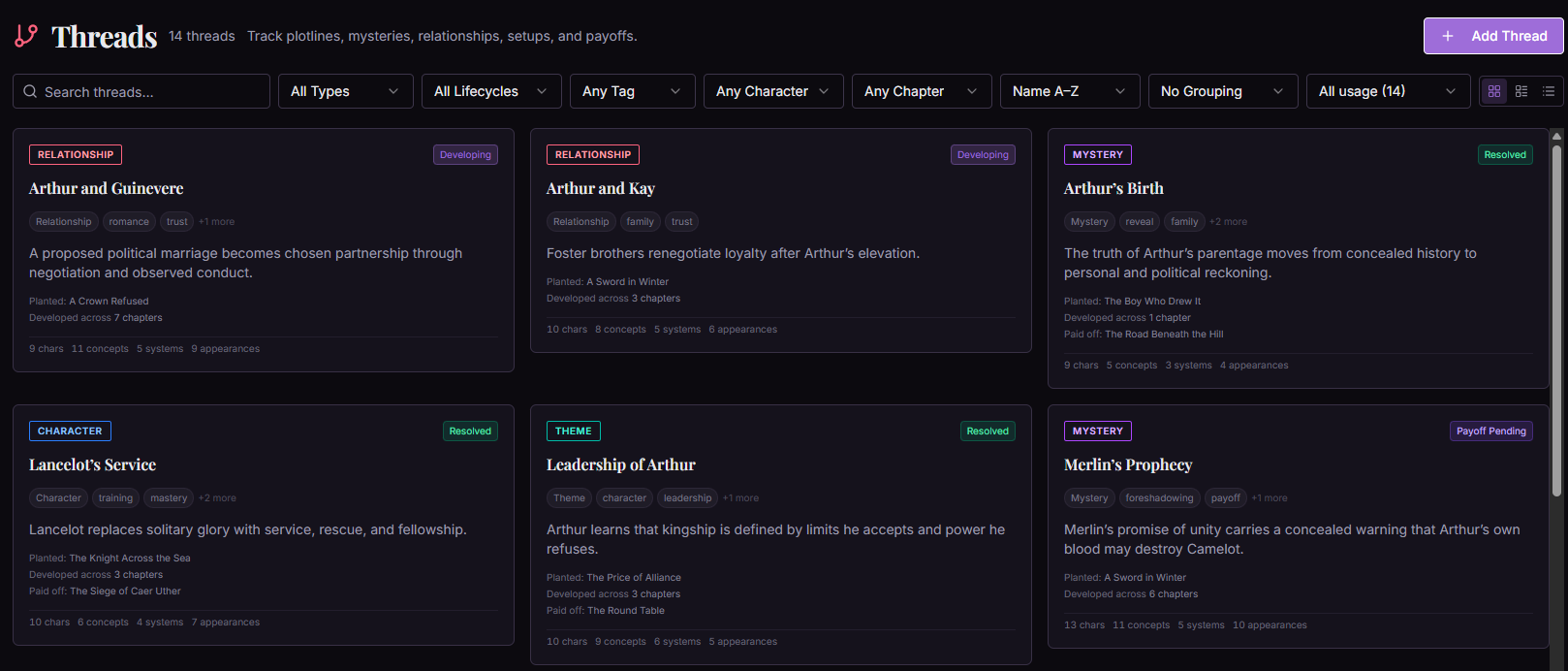
Inside Novellore
Threads
Explore these views
Library
Track plots, mysteries, themes, relationships, setups, and payoffs as story threads. Tags and lifecycle states make their progression visible among the rest of your material.
In this example, Camelot threads include Arthur's relationships, the mystery of his birth, and Merlin's Prophecy.
Open original full sizeThread overview
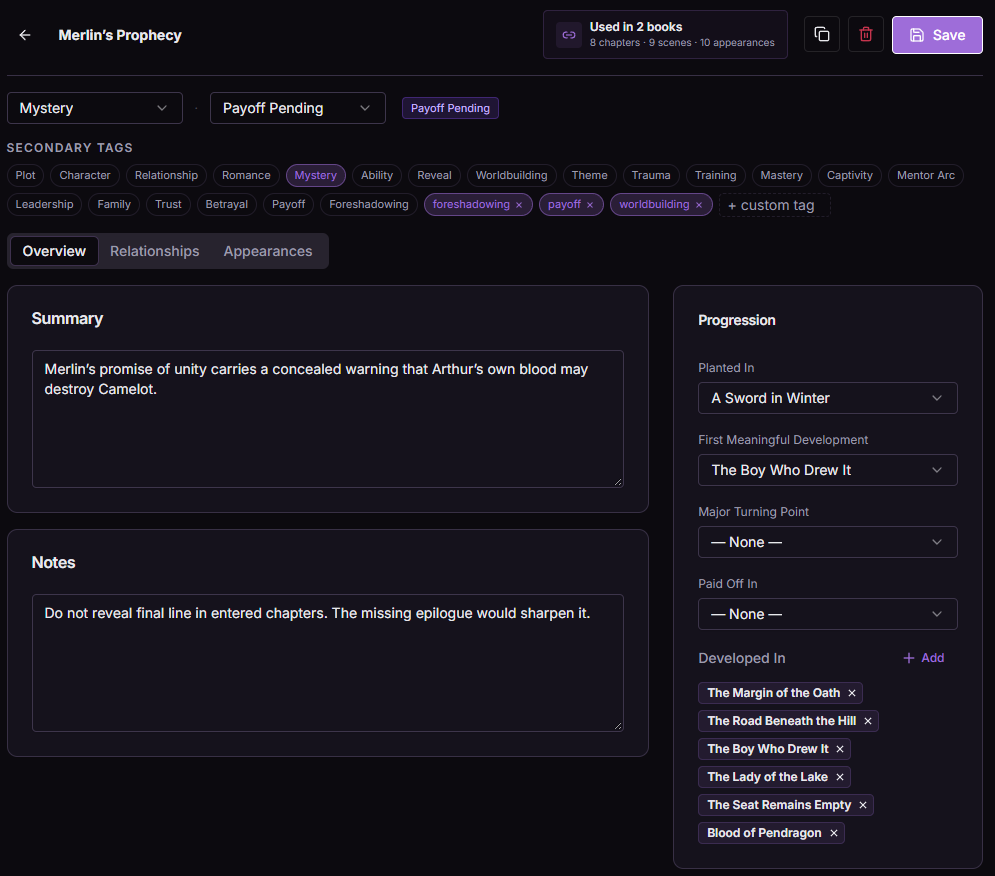
Record where a thread is planted, developed, turned, and paid off across a book or series. An unfinished thread can remain visible without being marked resolved.
In this example, Merlin's Prophecy is still Payoff Pending after developments in several chapters.
Open original full size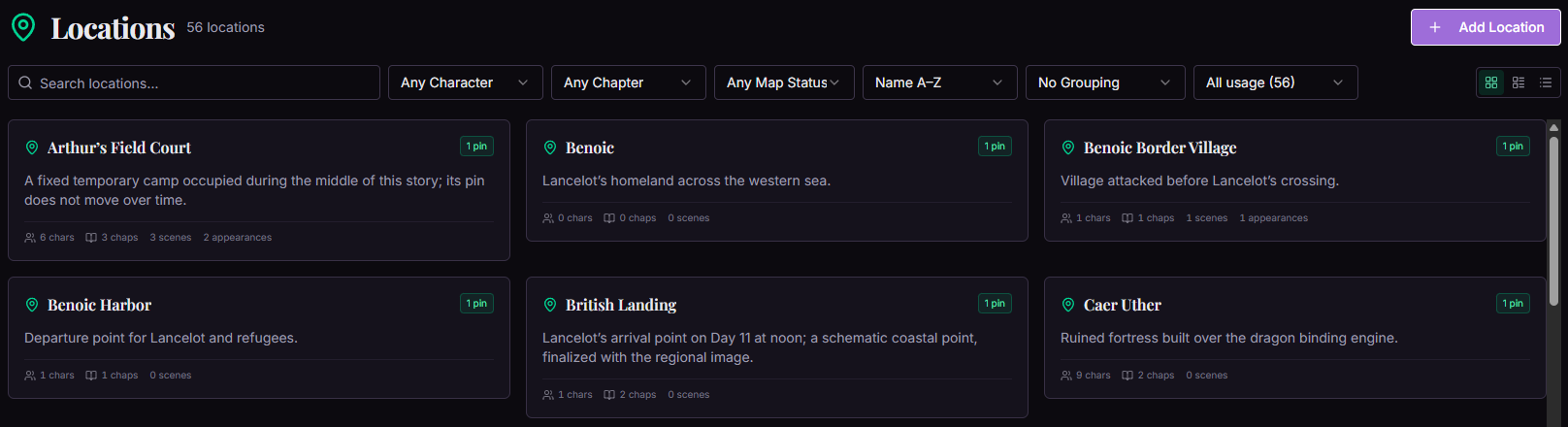
Inside Novellore
Locations
Explore these views
Library
Organize places with descriptions, links to chapters and scenes, and map-pin status. A location stays connected to both the story events and its geography.
In this example, Arthur's Field Court, Benoic, and Caer Uther are among the recorded places.
Open original full sizeTopography
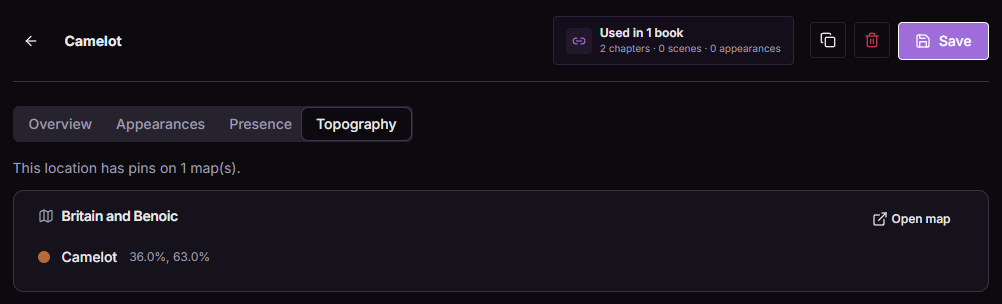
Link a location to project maps and inspect the pins that place it in your story's geography.
In this example, Camelot has a pin on the Britain and Benoic map.
Open original full sizeBring your work in
Start with what you already have.
A structured outline can become a reviewed starting point. Backups give you a copy of the books and shared world you build here.
Inside Novellore
Import Center
Explore these views
Start
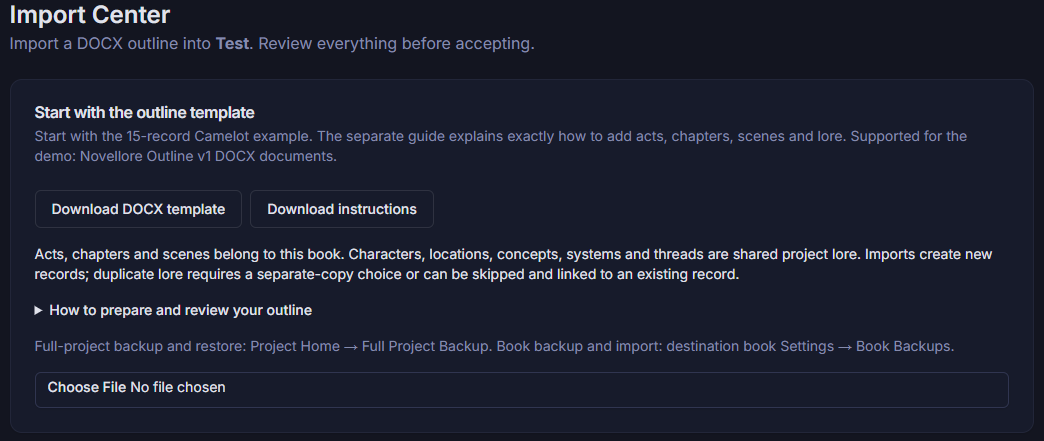
Bring a structured DOCX outline into a selected book with a downloadable template and guide. Novellore separates book-level acts, chapters, and scenes from project-level Shared Lore.
In this example, the Import Center is ready to receive a Camelot outline.
Open original full sizeReview before import
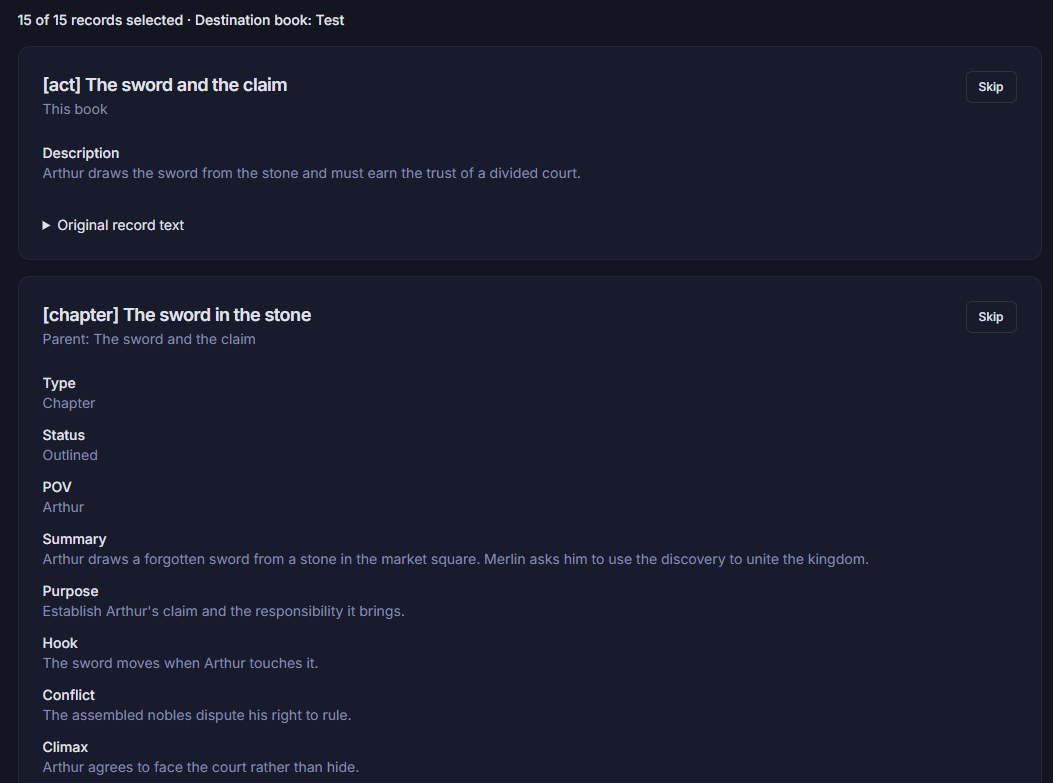
Inspect proposed records before accepting an import. Choose what to include, skip what you do not want, and review how any matching Shared Lore records should be handled.
In this example, a 15-record outline preview shows an act and chapter, including their descriptions and story fields.
Open original full size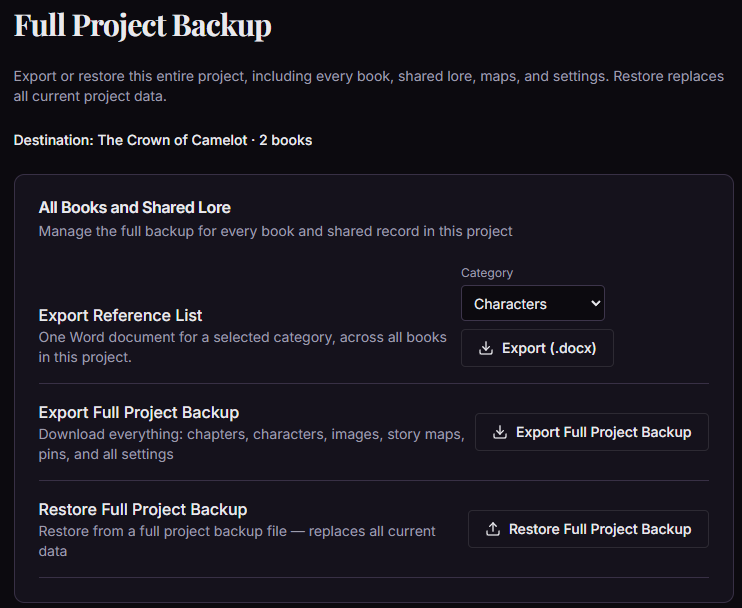
Inside Novellore
Project Backup
Export a full project backup of its books, Shared Lore, maps, and settings, or restore one when needed. You can also export a category reference list as a Word document.
In this example, the backup covers a two-book Camelot project. Restoring a full backup replaces the project's current data.
Open original full sizeBuild the next chapter with us
Help shape Novellore with a story of your own.
Free throughout closed beta for approved fiction writers aged 18 or older.